AI Meditation for Sleep and Anxiety: A Practical Guide
AI meditation for sleep creates a brand-new, personalized session in real time to help you wind down and calm anxious moments. Here's how to use it tonight.

You’re lying in bed, but your mind is still running through tomorrow’s to-do list, replaying a conversation, or simply refusing to slow down. Most of us have been there. The good news is that the right guided session, shaped around exactly how you feel in that moment, can help your body shift from “on alert” to “ready to rest.”
This is where AI meditation for sleep changes the experience. Instead of scrolling through a fixed library hoping something fits, you describe your mood and let a personalized session meet you where you are.
Why a personalized AI session helps you sleep and calm anxiety
Generic recordings are made for an average listener. But your bedtime brain isn’t average, it’s specific: a particular worry, a certain kind of tiredness, a unique pace of breathing. A session built for the moment can match that.
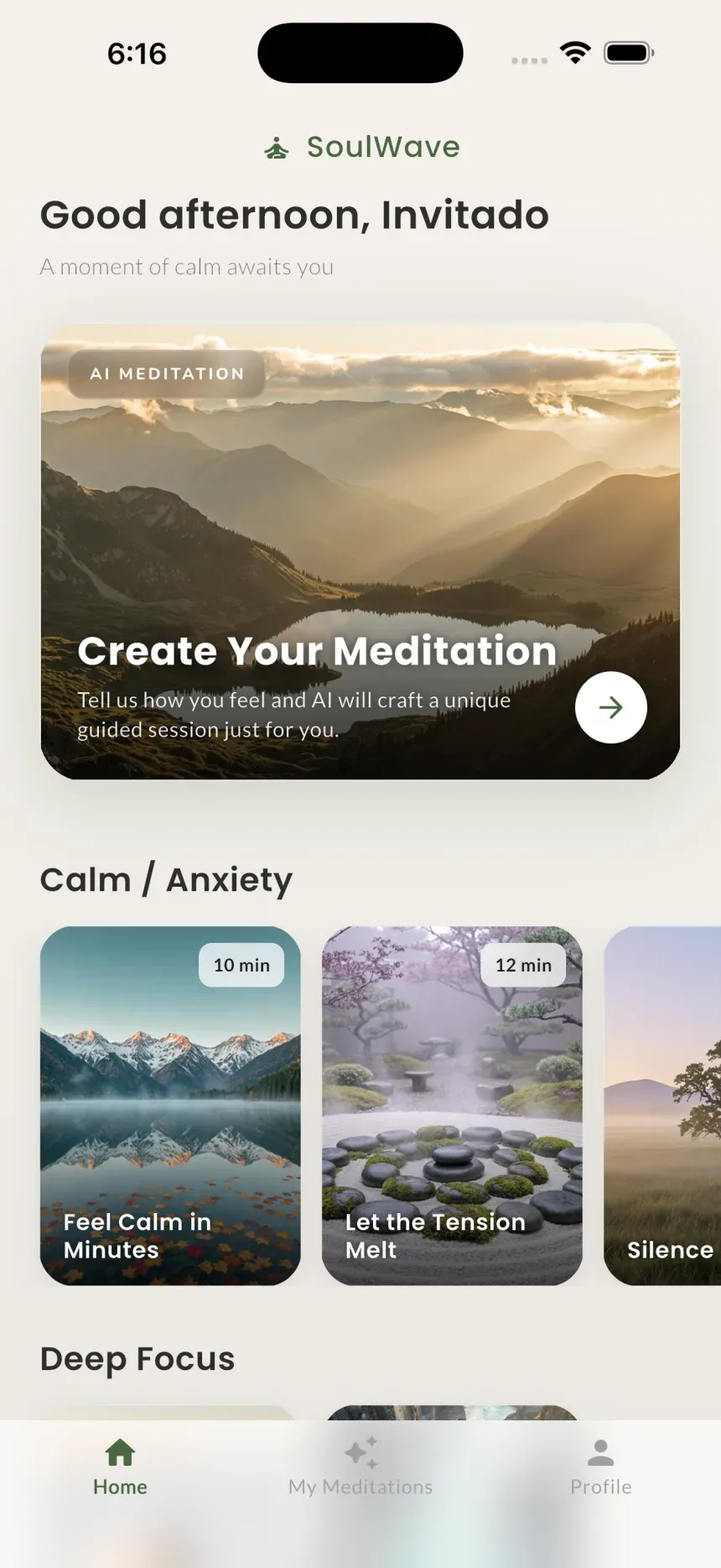
With SoulWave, the process happens in real time. Google Gemini writes an original meditation script from your mood or intention, and ElevenLabs provides studio-grade voice narration along with generative ambient music. The result is a brand-new guided meditation each time, not a clip you’ve heard a hundred times.
For sleep, this matters because familiarity can pull your attention back into thinking. A fresh script gives your mind something gentle and new to follow, while a slow, warm voice and soft ambient sound signal safety to your nervous system. For anxiety, a session that names what you’re feeling, then guides you toward longer exhales and grounding, can interrupt the spin of racing thoughts before it builds.
SoulWave offers four modes, Breathing, Mindfulness, Relaxation, and Custom (Pro), so you can pick the approach that fits the moment.
A step-by-step bedtime wind-down routine
Use this as your nightly ritual. Consistency is what turns a single calm night into better sleep over time.
- Set the scene first. Dim the lights, put your phone on Do Not Disturb, and get fully into bed before you start. You want the session to be the last thing you do, not a pause before more scrolling.
- Open SoulWave and choose Relaxation or Breathing mode. Both are well suited to winding down.
- Tell the AI how you feel. Speak or type something honest and specific, like “I’m exhausted but my mind won’t switch off, help me let go of today and drift to sleep.”
- Pick a sleep-friendly ambient sound. Rain, waves, or night work beautifully for bedtime (more on this below).
- Close your eyes and follow the voice. Let the narration carry you. There’s nothing to do well, only to listen and let go.
- Let it fade. If you drift off before it ends, that’s a success, not a missed step.
Done a few nights in a row, this becomes a cue your body recognizes: this is how we transition to sleep.
A quick routine for an anxious moment
Anxiety doesn’t always wait for bedtime. When it shows up midday or mid-meeting-prep, you need something fast.
- Step away for two to three minutes. Find any quiet-ish spot, a parked car, a bathroom, a corner of the office.
- Open SoulWave and choose Breathing or Mindfulness mode. These are built for in-the-moment regulation.
- Name it plainly. Try “I’m feeling anxious and my thoughts are racing, help me slow down and feel grounded right now.”
- Choose a calming ambient sound. Rain or waves tend to soothe without being distracting.
- Breathe with the guidance. Let your exhale grow longer than your inhale, that single shift tells your body it’s safe to settle.
Even a short session can take the edge off enough to get you back to your day with steadier footing.
What to say to the AI: sleep vs. anxiety
The clearer your intention, the more tailored your session. For sleep, lean into letting go, slowing down, and releasing the day. For anxiety, ask for grounding, slower breathing, and reassurance in the present moment. Specifics help, mention the feeling, the goal, and how much time you have.
| Your goal | What to ask for | Suggested mode | Ambient sound |
|---|---|---|---|
| Fall asleep | ”Help me release today and drift off slowly” | Relaxation | Rain or night |
| Racing thoughts at night | ”Quiet my busy mind so I can rest” | Breathing | Waves or rain |
| Anxious moment (daytime) | “Slow my breathing and help me feel grounded now” | Breathing or Mindfulness | Rain or waves |
| Morning calm | ”Help me start the day centered and unhurried” | Mindfulness | Campfire or waves |
Which ambient sounds suit sleep
SoulWave’s generative ambient sounds include rain, waves, storm, campfire, and night. For sleep specifically, the gentlest options usually work best:
- Rain offers steady, consistent sound that masks sudden noises and lulls the mind.
- Waves bring a slow, rhythmic rise and fall that naturally pairs with slowing your breath.
- Night layers soft, ambient texture that feels like a quiet evening outdoors.
Storm and campfire can be lovely for relaxation or focus, but for drifting off, most people find rain, waves, or night the easiest to fall asleep to. Experiment over a few nights and keep whatever quiets your mind fastest.
Tips for building a consistent practice
The benefits of guided meditation for sleep compound with repetition. A few ways to make it stick:
- Anchor it to an existing habit. Right after you brush your teeth, before you read, do your session.
- Same time, same place. A predictable cue trains your body to expect rest.
- Keep it small. A few minutes nightly beats an hour once a week.
- Let it be imperfect. Some nights your mind wanders more. That’s normal and still counts.
- Use Custom mode (Pro) when you want more control, plus unlimited generations so you never run out of fresh sessions.
When to seek professional help
AI sleep meditation can be a genuinely supportive tool, but it isn’t a cure for persistent insomnia, anxiety disorders, or any mental health condition. If anxiety regularly interferes with your daily life, if you experience panic attacks, if sleeplessness lasts for weeks, or if you ever have thoughts of harming yourself, please reach out to a qualified healthcare professional or a licensed therapist. If you’re in crisis, contact your local emergency services or a crisis hotline right away. You deserve real, human support, and asking for it is a sign of strength, not weakness.
Frequently asked questions
Does AI meditation actually help with sleep?
Many people find that a calming, guided session helps them shift out of “thinking mode” and into rest. SoulWave’s personalized scripts, soothing narration, and gentle ambient sounds are designed to support relaxation and winding down. It’s a wellness tool to help you settle, not a medical treatment for sleep disorders.
What should I say to the AI to fall asleep faster?
Be specific and honest about how you feel and what you want. Something like “I’m tired but my mind is racing, help me let go of the day and drift off slowly” gives the AI enough to craft a fitting session. Choosing Relaxation mode with rain or night ambient sound tends to work well for bedtime.
Is my voice or data private when I use SoulWave?
Yes. When you speak to SoulWave, your microphone audio is converted to text and immediately discarded, never stored. SoulWave shows no ads, never sells your data, encrypts your information, and lets you delete your account at any time.
Do I need SoulWave Pro to use it for sleep and anxiety?
No. SoulWave is free to download, and the core Breathing, Mindfulness, and Relaxation modes work well for both sleep and anxious moments. SoulWave Pro unlocks Custom mode and unlimited generations (with weekly, monthly, or annual options, and may include a free trial) if you want deeper personalization.
Learn more
If you’d like to go deeper, see How to create a custom AI meditation for getting the most out of your prompts, and AI meditation vs. traditional apps to understand what makes a real-time, personalized approach different.
Try SoulWave
Ready to fall asleep more easily and calm anxious moments with a session made just for you? Download SoulWave for iPhone (Android coming soon) and create your first personalized meditation tonight: Get SoulWave on the App Store.
Wellness disclaimer: SoulWave is designed for general wellness and relaxation. It is not a medical device or a substitute for professional medical advice, diagnosis, or treatment. If you have concerns about your sleep, anxiety, or mental health, please consult a qualified healthcare provider.
Keep reading

AI Meditation vs. Traditional Meditation Apps: What's the Difference?
AI meditation creates a brand-new session for your exact mood, while traditional apps offer fixed libraries. Here's how the two approaches really differ.
Read article →
How to Create a Custom AI Meditation (Step-by-Step Guide)
Learn how to create a custom meditation with SoulWave's AI meditation generator. A step-by-step guide to building a personalized session for sleep, focus, or calm.
Read article →